 Pektrix
Fix a missed answer and test it in the widget
Use a real question, a verified business fact, and a saved test to check an answer before customers rely on it.
On this page
Capture the wording and the expected answer
- As the workspace owner, open Knowledge → Questions needing review. Pick a recurring question for which the business has a verified answer. For example, use “Where do I collect my order?” if the store offers pickup. Copy the wording without personal details.

Search for the customer’s wording in the loaded questions. Collect another batch if you need to check more saved replies. - Confirm the current pickup location and any instructions with the store. If the business offers several pickup locations, specify which location the question concerns before writing a single answer.
- In Knowledge → Answer tests, choose New question. Enter the customer’s wording and add the verified location to Required phrases. Under Expected answer source, choose FAQ for a saved FAQ or Any for a new manual knowledge source. Save the question and select Run question to capture the current result. Runs that use AI count toward the workspace budget.
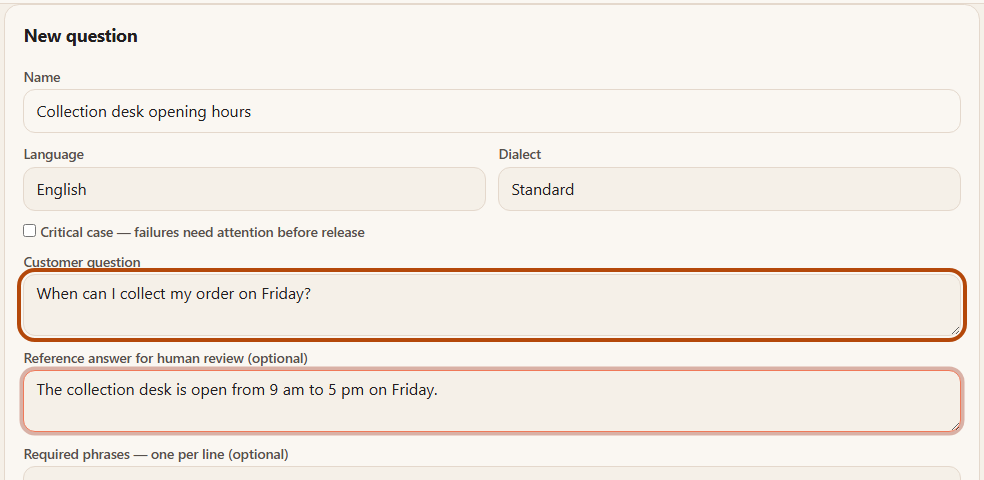
Enter the wording a customer would actually send. Record the verified answer separately so a reviewer can compare it with the result.
Save an FAQ if the workspace uses Questions & answers
- Open Knowledge → Questions & answers and search for an existing pickup answer. Edit that answer if it covers the same policy. Otherwise, select Add answer and give it a title such as “Collecting orders from the city shop”.
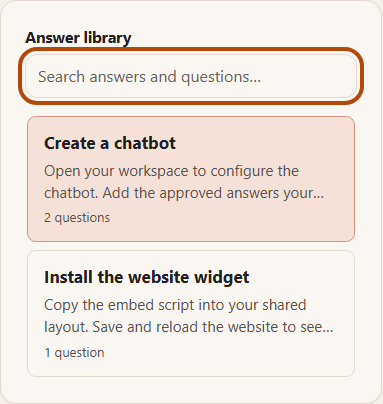
Search for a distinctive word in the question or answer and open the matching entry to check its wording. - Enter the customer’s question. Use Add another wording for an equivalent question such as “Where can I pick up my city shop order?” Enter the verified instructions in Approved answer and choose Save answer.
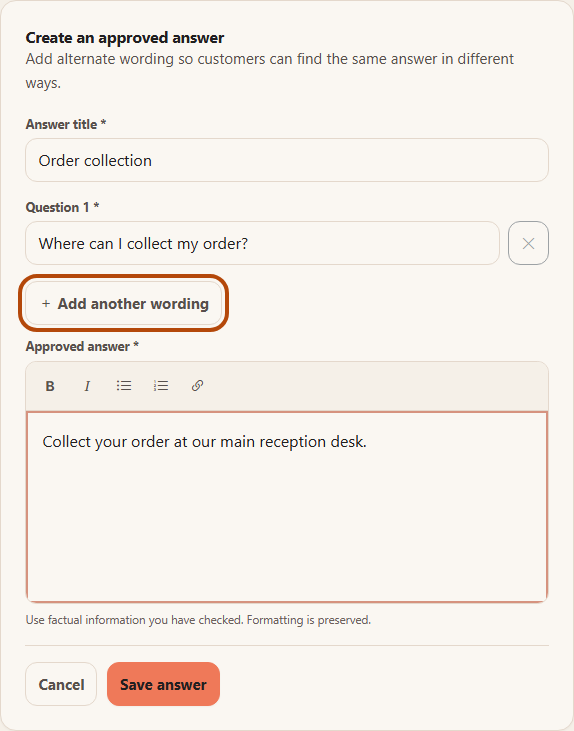
Choose Add another wording for a second way to ask the same question. Both wordings will share the approved reply.
Update the source if the workspace uses reviewed knowledge
- Open Knowledge → Knowledge review. Find the pickup FAQ and choose Propose changes. If there is no existing source for this policy, choose New source, give it a title such as “City shop pickup”, and enter the customer’s question and verified instructions in the source text.
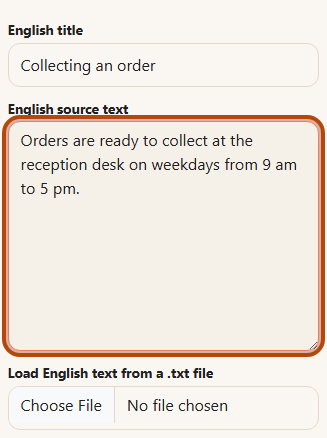
Put the verified details in the source text. In this example, the draft identifies both the reception desk and its collection hours. - Choose Save new draft revision, then Submit for review. Compare the draft with the store’s instructions. Choose Approve this revision, then Confirm decision. Check that the published revision is marked Allowed in answers.

Compare the current draft with the approved wording. If the revised facts are correct, choose Approve this revision and confirm the decision.
Verify the source and compare the wording
- Return to Answer tests and run the same saved question again. In Result history, compare Actual answer with the earlier run. Check the pickup location and instructions in full. Read Actual route to see how the answer was produced. If you expected a saved FAQ, check that this route says FAQ.
- Run the alternate wording as a second saved question. Ask it once in a fresh widget conversation too. If the routes differ, check whether the widget message entered an active workflow or matched another FAQ before changing the wording again.