 Pektrix
Test answers before and after a knowledge change
Keep a repeatable set of customer questions, check the sources used, and record a human verdict.
On this page
Save a representative question
- As the workspace owner, open Knowledge → Answer tests and choose New question. Enter a name, language, dialect and the exact customer question. Mark a critical case when a failure needs attention before release.
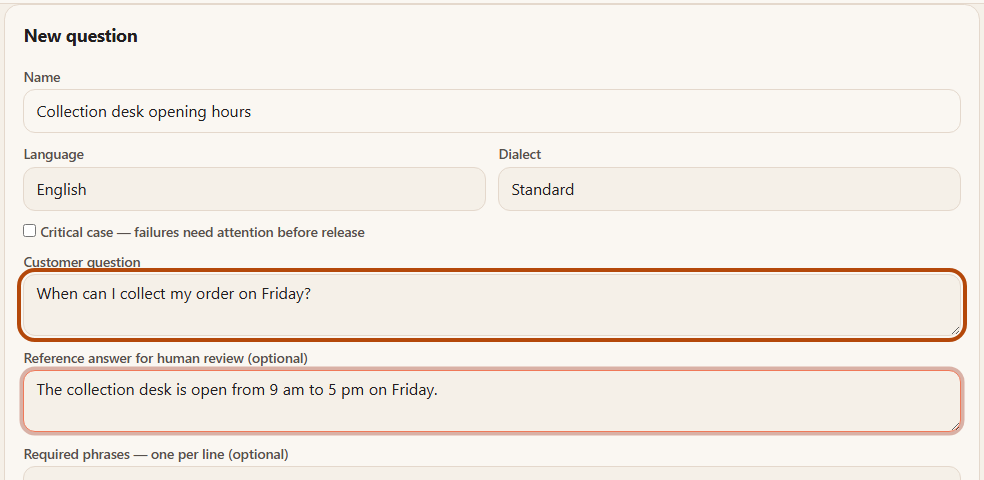
Enter the wording a customer would actually send. Record the verified answer separately so a reviewer can compare it with the result. - Use a question with a fact you can verify, such as the time the collection desk closes on Friday. Enter the business's actual answer as the reference. Add required or forbidden phrases one per line, or choose an expected answer source such as FAQ or Fallback. Choose Save question.
Read a test result
- Choose Run question, or select several questions and use Run selected. Tests use published knowledge. Any AI generation uses the workspace budget.
- In Result history, compare Actual answer and Actual route with the reference and expected source. Verify amounts, exceptions and other facts yourself even when phrase checks pass.

Read the full answer beside the pinned reference. The difference between twenty days and two days makes this example a failed answer. - Under Human review, choose a verdict, add a note and select Save review. Export this run (JSON) preserves a copy for comparison.