 Pektrix
Complete a prepaid subscription payment
Review the one-month order, continue to the payment provider, and check whether Pektrix has activated access.
On this page
Review and prepare the order
- Sign in as the paying account and open Plans & billing. Choose an available prepaid plan. Online checkout depends on the plan, billing country, and payment methods offered for your account.
- In Subscription checkout, select a payment method. Check the plan, amount, and currency in Order summary. This purchase covers one prepaid month.
- Select Prepare payment. If prompted, choose Continue to payment provider and complete the provider's checkout.
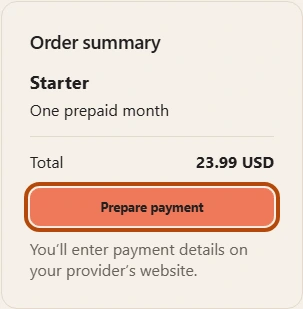
Compare your plan, amount and currency with the order you intend to pay for. Then choose Prepare payment.
Check the outcome
- Return to Subscription checkout and choose Check payment status. Review the reference and the Access until date when available.
- If the result is pending or needs review, check the existing payment before starting another. If support is required, give the team the checkout reference shown on this page.
- After activation, use Sign in to use your plan if shown and check the current plan in Plans & billing.