 Pektrix
Set response targets and review SLA breaches
Define when your team should first respond and resolve a conversation, then review recorded breaches.
On this page
Create a service policy
- Open Insights → SLA settings & reports. Under Service policies choose New policy. Give it a recognizable name such as “Weekday support”.
- Enter a first response target in minutes and a resolution target in hours. Choose whether this is the default policy, enable Policy active and select Save policy. Check the saved policy card.
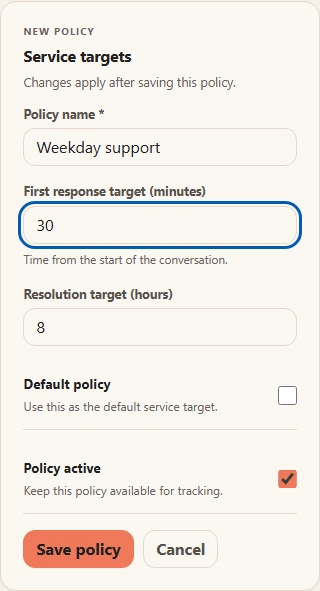
First response uses minutes and resolution uses hours. Check both values before you save the policy.
Read the breach report
- Open Breached conversations, select a breach type and refresh. Use the conversation number and start time to identify the case in the inbox.
- The counts describe recorded first response or resolution breaches. To discuss a specific delay, use the conversation record and policy targets together.