 Pektrix
Manage a legacy event webhook
Deliver selected workspace events to an existing endpoint and check its delivery history.
On this page
Set up an endpoint
- Open Integrations → Legacy webhooks and choose Add Endpoint. Enter its name and the receiving URL, select the events the destination uses and configure the optional signing secret on both sides.
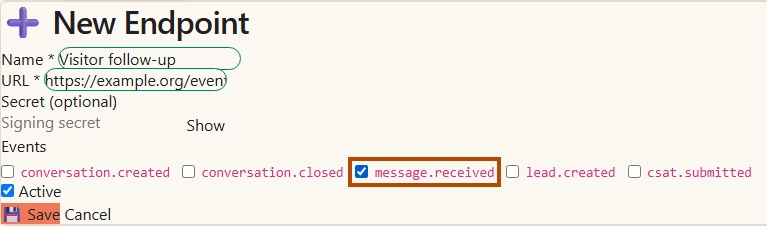
Select the events your receiver handles. This example subscribes to incoming messages. - Select Active and save. Test requests a workspace ping. To verify an endpoint that subscribes to a different event, trigger one controlled example of the selected event and open that endpoint’s delivery history.
Check results
- Inspect the endpoint’s delivery history and compare the recorded date, event and status code with the receiving system’s record.
- If you have access to existing history only, enter the Endpoint ID under Existing webhook delivery history and choose Load deliveries.