 Pektrix
Issue and revoke an integration API key
Grant a server integration just the workspace permissions it needs.
On this page
Issue a scoped key
- As the owner, open Integrations → API keys. Give the key a recognizable label and choose its lifetime in days.
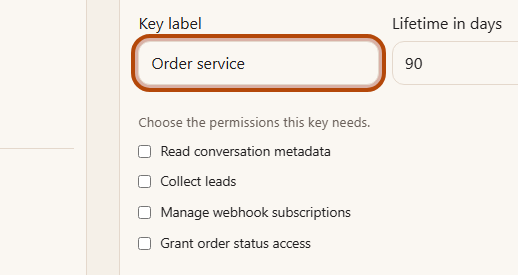
Use a label your team will recognize later, set the lifetime and choose the permissions needed for this integration. - Choose the permissions the integration needs, such as Collect leads for a lead intake service. Select Issue key. Copy the one-time secret directly into the integration’s server-side secret store. Record the key ID and expiration for later management.
- Select Refresh keys and check the saved label, permissions and expiry. If issuance is unconfirmed, use Retry the same request. A saved key whose secret was lost needs a replacement.
Replace or retire a key
- For a planned rotation, issue a replacement and run one permitted operation from the integration with the new key. Then locate the old entry in Saved keys, choose Revoke and confirm the matching key.
- When only the revocation view is available, enter the Key ID from your records, choose Review revocation and confirm. Requests using the revoked key lose access.