 Pektrix
Follow up on leads and contacts
Review a visitor’s form answers, assign a follow-up owner and find the next contacts due.
On this page
Review an enquiry
- Open Audience → Leads & contacts. Search by name, phone, email or an answer, or filter by stage and follow-up date. Select Review on a matching row.
- Read Submitted information. Open the linked conversation for context. The email, SMS and WhatsApp shortcuts appear when a saved answer contains a recognized contact detail.
Plan the next action
- Under Follow-up plan choose the sales stage and owner. Enter Next follow-up (UTC). For a promised 15:00 callback in Riyadh, enter 12:00 UTC on the same date. For a sales opportunity, add the estimated value and currency. Choose Save follow-up plan.
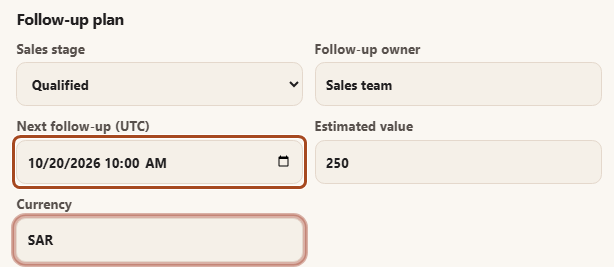
Set the callback time in UTC. This example assigns a qualified lead to Sales team and records a value of 250 SAR. - Reopen the lead to confirm the saved details. Use Due now to find contacts ready for follow-up. If the list is empty after a test, check that the visitor completed the lead form and reset the filters.