 Pektrix
Collect and review customer satisfaction ratings
Ask for a rating after a conversation ends and review the feedback for a reporting period.
On this page
Configure the survey
- Open Insights → Customer satisfaction → Survey settings. Select Enable satisfaction survey and enter Question in English. If you serve Arabic speakers, enter Question in Arabic and use Preview language to check both versions.
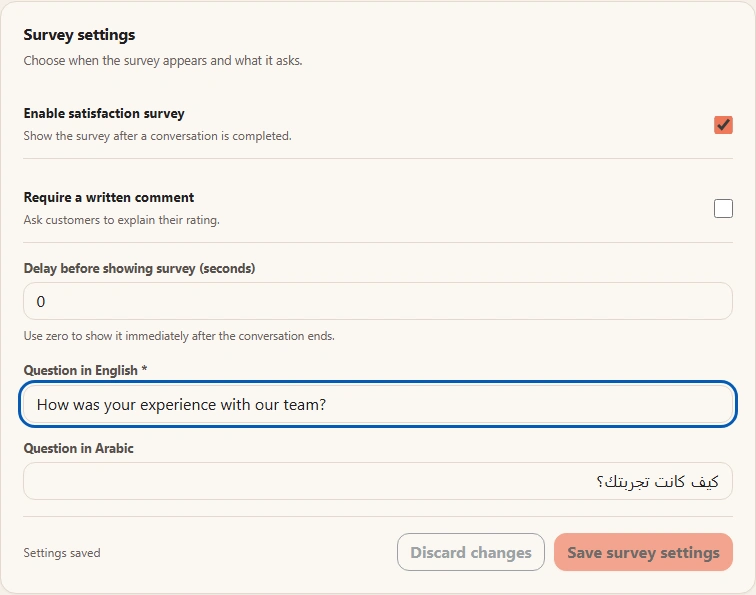
Write the question visitors should answer after their conversation ends. Set the delay to zero to show it immediately. - Choose the delay in seconds. Select Require a written comment only if a rating needs an explanation. Check the sample and select Save survey settings.
Review responses
- Open Feedback overview and select the last 7, 30 or 90 days. Use Refresh feedback to check recent ratings and comments.
- Use Load more feedback for additional responses. When the feed is empty, widen the reporting period and confirm the survey is enabled for completed conversations.